


A technical SEO audit is much more than a simple checklist. Think of it as a deep, diagnostic look under the hood of your website to find all the friction points that are quietly holding you back.
It’s about uncovering those technical issues—like slow pages, crawl errors, or wonky mobile rendering—that are eroding your rankings and costing you conversions. This isn't just about tweaking code; it’s about creating real, measurable business impact.
Is your website secretly throttling your revenue? Our team can show you where the opportunities are. Get a free, expert review of your entire SEO strategy. Contact us today for your complimentary review.
Why a Technical SEO Audit Is Your Best Growth Lever

I've seen so many businesses pour money into amazing content and link-building campaigns, only to have their results fall flat because of a shaky technical foundation. A technical SEO audit is the single best lever for growth because it secures the very infrastructure that all your other marketing depends on. Without it, you’re just building on sand.
Imagine spending thousands on a brilliant ad campaign that sends traffic to a page that takes eight seconds to load. It happens all the time. Or what about crafting the perfect article that Google can't even find because of a single misplaced line in your robots.txt file? These aren't just hypotheticals—they are common, expensive problems that a proper audit brings to light.
Uncovering Hidden Revenue Blockers
The whole point is to stop putting out fires and start proactively optimizing. A systematic audit uncovers the kinds of problems that never show up in your day-to-day analytics reports.
A thorough technical audit digs into:
- Crawlability and Indexability: Can search engines actually find, crawl, and understand all of your important pages?
- Site Speed and Performance: How does your site stack up against Core Web Vitals? A good user experience directly impacts rankings.
- Mobile Experience: The majority of users are on mobile. Your site has to be flawless for them.
- Site Architecture: Is your internal linking strategy funneling authority to your most important pages, or is it a tangled mess?
On larger enterprise sites, a full technical SEO audit almost always uncovers deep structural issues that standard reporting tools completely miss. In fact, data shows that 28% of marketers believe technical debt is the biggest threat to their success. That tells you just how many legacy issues are quietly dragging down performance.
An audit isn't just a list of errors. It’s a strategic roadmap. It translates technical jargon into a prioritized action plan that ties directly to business goals like generating leads and closing sales.
For a deeper look into the specifics, you might be interested in our guide on what to expect from SEO audit services.
Getting Crawled and Indexed: The Foundation of Technical SEO

Here's the hard truth: if Google can't find and understand your pages, nothing else matters. All the brilliant content and hard-won backlinks in the world are useless if search bots can't effectively crawl your site and add your content to their index. This is where every good technical SEO audit begins.
To start, you need to see your website through a search engine's eyes. The best way to do this is to fire up a crawler like Screaming Frog or use the site audit tool in Semrush. These tools act just like Googlebot, meticulously following every link to map out your site and flag problems you probably didn't even know you had.
This initial crawl gives you a raw, unfiltered look at your site's structure. It's the first step to uncovering what’s really going on under the hood.
Finding and Fixing Crawl Budget Killers
Google only dedicates a certain amount of resources to crawling your site—this is your crawl budget. If you waste it on junk pages, redirects, or broken links, your most important content might never get seen. Your job is to make every request from Googlebot count.
When you're digging through that crawl data, keep an eye out for these common budget-wasters:
- Redirect Chains: When one URL redirects to another, which then redirects to a third, you're making search bots (and users) jump through unnecessary hoops. Each hop eats up a tiny bit of crawl budget. You want to see clean, single-hop 301 redirects.
- Crawl Traps: These are nasty structural black holes that can generate an infinite number of URLs for a crawler, like a calendar with endless "next month" links. Bots get stuck in these loops and can exhaust your entire budget without ever reaching your key pages.
- Orphaned Pages: These pages are live on your site but have zero internal links pointing to them. If you can't click your way to a page, neither can Google.
A clean, efficient site structure respects the crawler's time. By fixing redirect chains and eliminating crawl traps, you ensure that search engines spend their limited resources discovering and indexing your most valuable content first.
Auditing Your Instructions for Search Engines
Beyond your site's structure, you need to check the two key files that give search engines direct instructions: robots.txt and your XML sitemaps. Think of them as the official user manual for your site.
Your robots.txt file is the very first thing a crawler checks. It's a powerful file, and a single misplaced "Disallow" directive can accidentally make critical sections of your site, like your entire blog, completely invisible to search engines. It happens more often than you'd think.
On the flip side, your XML sitemap is the road map of all the URLs you want Google to find and index. A proper sitemap audit involves hunting for errors, making sure it doesn't list non-canonical or redirected URLs, and confirming it’s submitted to Google Search Console. It should be a pristine list of your most important, indexable pages.
Diagnosing Indexing Problems in Google Search Console
Okay, so your site is easy to crawl. But are your pages actually making it into Google's index? For that, the single source of truth is the Index Coverage report inside Google Search Console.
This report tells you the status of every URL Google knows about, conveniently bucketed into four main categories.
| Coverage Status | What It Means | Common Causes |
|---|---|---|
| Error | Pages that are not indexed because of a major problem. | Server errors (5xx), broken redirects, or URLs blocked by robots.txt. |
| Valid with warnings | The page is in the index, but there's an issue you should fix. | A common one is a page that's indexed but blocked by robots.txt. |
| Valid | Success! These pages are indexed and can show up in search results. | This is the goal for all your important content. |
| Excluded | Pages that Google has chosen not to index, either on purpose or by accident. | Blocked by a 'noindex' tag, canonicalized to another URL, or found but not yet crawled. |
A huge part of any technical SEO audit is a deep dive into the "Excluded" and "Error" tabs. This is where you'll find the smoking gun—the crucial product page with an accidental 'noindex' tag or the entire folder of blog posts that’s been disallowed. By methodically working through these issues, you can figure out why pages are missing and create a clear plan to get your best content the visibility it deserves.
Auditing For Performance And User Experience

In today's SEO landscape, the line between technical optimization and user experience has completely blurred. Let's be honest: a slow, clunky site isn't just a technical issue—it's a user experience disaster that directly hits your rankings and revenue. This part of the audit is where we get laser-focused on the performance signals that both people and search engines actually care about.
The heart of modern performance auditing is Core Web Vitals. These aren't just vanity metrics; they're Google's way of measuring real-world user experience based on loading speed, interactivity, and visual stability. A snappy, responsive site keeps people engaged. A slow one sends them straight to your competitors.
Diagnosing Your Core Web Vitals
First things first, you need a baseline. The best place to start is Google's own PageSpeed Insights. Just plug in a URL, and you'll get a detailed report card based on lab data (a controlled test) and field data (real-user metrics).
As you dig into the report, you'll want to zoom in on these three core metrics:
- Largest Contentful Paint (LCP): This is all about perceived loading speed. It measures how long it takes for the main piece of content—usually a big image or a block of text—to appear. Common culprits for a slow LCP include massive, unoptimized images, sluggish server response times, or render-blocking CSS and JavaScript.
- Interaction to Next Paint (INP): This new metric is the successor to FID and is a much better measure of overall page responsiveness. A high INP score means users are experiencing noticeable lag after they click, tap, or type. The usual suspect? Heavy JavaScript execution tying up the browser.
- Cumulative Layout Shift (CLS): We've all been there—you go to click a button, and an ad loads, pushing the button down the page. That's layout shift, and it's incredibly frustrating. CLS measures this visual instability, which is often caused by images without defined dimensions, dynamically injected content, or fonts that load in late.
To give you a clear target, here are the thresholds you should be aiming for.
Core Web Vitals Performance Thresholds
Use this quick reference to benchmark your site's user experience against Google's recommended performance targets for each Core Web Vital.
| Metric | Good | Needs Improvement | Poor |
|---|---|---|---|
| LCP | ≤ 2.5 seconds | > 2.5s and ≤ 4.0s | > 4.0 seconds |
| INP | ≤ 200 milliseconds | > 200ms and ≤ 500ms | > 500 milliseconds |
| CLS | ≤ 0.1 | > 0.1 and ≤ 0.25 | > 0.25 |
Getting all three metrics into that "Good" column should be a top priority. And once you've identified the problems, the real work begins. This is a fantastic resource on how to improve website speed and boost SEO with actionable steps.
Ensuring A Secure And Trustworthy Experience
Beyond raw speed, security is a non-negotiable part of the user experience. Google made it clear years ago that HTTPS is the standard, and today, an unencrypted HTTP connection is a massive red flag for both users and crawlers.
When auditing for security, keep an eye out for two major issues:
- HTTPS Enforcement: Your entire site must be served over HTTPS. Every single HTTP request should be permanently redirected (using a 301) to its secure HTTPS equivalent. No exceptions.
- Mixed Content Issues: This is a classic "gotcha." It happens when a secure HTTPS page tries to load an insecure (HTTP) resource like an image, script, or stylesheet. Modern browsers will often block this content or slap a nasty security warning on the page, instantly killing user trust.
The easiest way to hunt these down is with a crawler. Fire up Screaming Frog and run a crawl—it has built-in reports that will flag any insecure links or resources on secure pages, giving you a perfect to-do list.
In modern SEO, performance is revenue. Data shows that 53% of users will abandon a site if it takes longer than 3 seconds to load. Security is equally critical; non-HTTPS websites can see a 50% higher bounce rate as browsers aggressively flag them as "not secure," which is a conversion killer.
3. Untangling Site Architecture and Internal Links
A website’s structure is its skeleton. If the bones are in the wrong place or poorly connected, the whole thing just collapses from an SEO perspective. This phase of the audit looks beyond single pages to see the bigger picture: how your content is organized and interconnected for both users and search engine crawlers.
Think of your site's authority—sometimes called "link equity"—as water flowing through a network of pipes. A smart internal linking strategy channels that authority from powerful pages, like your homepage, directly to the pages you need to rank. A messy structure, on the other hand, causes that valuable equity to leak out or get trapped in unimportant corners of your site.
The mission here is to create a logical hierarchy that guides crawlers straight to your most valuable content without making them waste their time.
Mapping Your Internal Link Structure
First, you need a map. A bird's-eye view of how your pages link together is non-negotiable, and a site crawler like Screaming Frog is the perfect tool for the job. After running a complete crawl, you can analyze your site's "click depth"—the number of clicks it takes to get from the homepage to any specific URL.
A crucial rule of thumb I always follow is that no important page should ever be more than three clicks from the homepage. The deeper a page is buried, the less important Google thinks it is, which means it gets crawled less often.
Your crawl data will shine a spotlight on major architectural flaws almost immediately:
- Orphaned Pages: These are pages with zero internal links pointing to them. If you can't click to it from somewhere on your site, search engines will likely never find it. They're effectively invisible.
- Deeply Buried Content: Are your key service or product pages five or six clicks deep? That’s a red flag. It tells you your navigation and internal linking are failing to signal what's most important.
- Wasted Link Equity: Are you linking to your privacy policy or an old press release from your main menu? That's prime real estate. You need to rethink where you're sending that authority.
If you want to understand the foundational principles of why this matters so much to Google, the advice from former Googler Matt Cutts is still incredibly relevant.
Tackling Duplicate Content with Canonical Tags
Duplicate content is one of the most persistent headaches in technical SEO, especially for e-commerce sites and complex CMS setups. It’s simple: the same (or nearly identical) content shows up on multiple URLs. This often happens with URL parameters used for tracking (?source=newsletter) or filtering products (/shoes?color=red).
This creates a mess for search engines, forcing them to guess which version of the page they should show in search results. The fix is the rel="canonical" tag. It’s a simple line of HTML that tells Google, "Hey, I know these pages look alike, but this is the master copy I want you to index."
Your audit needs to systematically hunt for these canonicalization issues:
- Missing Canonicals: Pages that use parameters but don't have a canonical tag pointing back to the clean, primary URL.
- Incorrect Canonicals: A page that mistakenly points its canonical tag to an entirely different, unrelated URL.
- Cross-Domain Duplication: If you syndicate your articles to other websites, you must ensure they place a canonical tag on their version that points back to your original post.
Auditing On-Page Elements at Scale
While tweaking a title tag feels like a content job, auditing these elements across thousands of pages is a purely technical task. A site crawler lets you export every title tag, meta description, and header (H1s, H2s) into one massive spreadsheet.
From there, you can spot systemic errors that are simply impossible to find by hand.
I always filter for these common problems first:
- Missing Title Tags or H1s: Every single indexable page needs a unique title and one—and only one—H1 tag.
- Duplicate Metadata: It's amazing how often you'll find hundreds of pages all sharing the same generic, placeholder title or description.
- Poorly Optimized Elements: This is where you can find titles that are too long or short, or H1s that are missing the page's primary keyword.
Fixing these on-page elements in bulk is often a high-impact, low-effort win. It’s one of the fastest ways to see tangible ranking improvements because you’re making it crystal clear to Google what each and every page is about.
Alright, you've done the heavy lifting. You've crawled the site, dug through log files, and have a mountain of data. But let's be honest—an audit is just a fancy document until you do something with it. A perfect audit that collects digital dust on a server is completely useless.
This is where the real work begins: turning those findings into a clear, actionable roadmap that your team can actually get behind and execute. It’s not about just listing out problems. It's about building a compelling case for why these things need to be fixed and what the payoff will be.
Prioritizing Fixes with an Impact vs. Effort Matrix
So, you've probably got a list of dozens, maybe even hundreds, of issues. If you walk into a meeting and ask for everything to be fixed at once, you'll be shown the door. It's a recipe for overwhelming your dev team and getting nothing done.
The secret is to focus on the quick wins first—the high-impact, low-effort tasks that build momentum. This is where a simple impact vs. effort matrix becomes your best friend.
For every single issue you've uncovered, you need to score it on two simple scales:
- Potential SEO Impact: How much will fixing this actually move the needle? A site-wide canonicalization problem is a massive win waiting to happen (high impact). Fixing a few missing alt tags, while good practice, is pretty low impact in the grand scheme of things.
- Required Effort: How much pain is this going to cause? This means developer time, budget, and coordination across teams. Implementing a new caching policy might be a relatively quick job for a developer (low effort). A full-blown site migration? That’s about as high-effort as it gets.
When you plot every task on this grid, the path forward becomes incredibly clear. You know exactly what to tackle first.
This process of organizing and prioritizing your audit findings is critical. Much like how a site's architecture dictates how link equity flows to key pages, your action plan directs resources to the most valuable fixes.
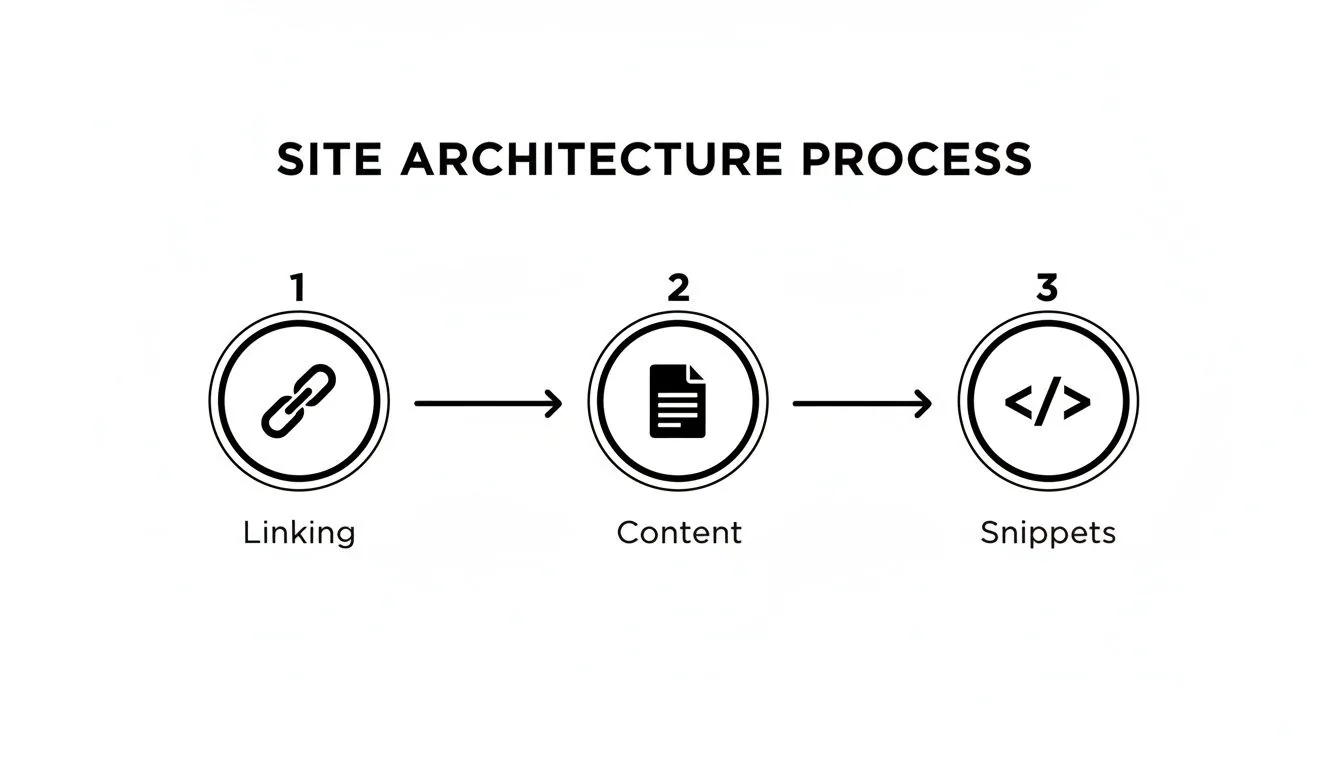
Optimizing foundational elements like internal linking directly influences how search engines understand and rank your content, ultimately improving your visibility in search results.
Impact vs Effort Prioritization Matrix
Use this matrix to categorize your audit findings and decide what to tackle first, ensuring you allocate resources for the biggest ROI.
| Low Effort | High Effort | |
|---|---|---|
| High Impact | Quick Wins (Do these now!) e.g., Fixing robots.txt disallows, updating title tags | Major Projects (Plan for these) e.g., Site migration, full HTTPS implementation |
| Low Impact | Fill-in Tasks (Do when time permits) e.g., Adding missing alt text, cleaning up minor 302s | Thankless Tasks (Reconsider or deprioritize) e.g., A massive URL structure overhaul for minimal gain |
This simple framework helps you communicate priorities clearly. Start with the "Quick Wins" to show immediate progress and build trust, then you can get buy-in for the "Major Projects."
Building a Compelling Business Case
Once you know your priorities, you need to get everyone else on board. Dropping a 100-page technical document on your boss's desk is the fastest way to have your recommendations completely ignored. You have to learn to speak their language: revenue, leads, and beating the competition.
Frame every single recommendation in terms of its business outcome.
Don't say: "We need to fix render-blocking JavaScript to improve our LCP score."
Instead, say: "Improving our page load speed by just one second could increase conversions by 7%. The first step is to defer non-critical scripts, which is a low-effort task for our developers."
See the difference? One is a technical problem; the other is a business opportunity. This reframing makes it so much easier for decision-makers to greenlight the resources you need.
The Shift to Continuous Auditing with AI
The days of the one-off, quarterly technical audit are fading fast. AI and automation are turning what used to be a massive project into a continuous, real-time process. In fact, 56% of companies are already using AI in their marketing.
Modern platforms can now monitor your site 24/7, catching new issues the moment they appear. The best ones even plug these findings directly into development sprints, prioritizing fixes based on potential revenue impact. The data backs this up: 65% of companies see better SEO results with AI, and 75% of marketers rely on it to cut down on manual work.
This proactive approach means you’re catching small problems before they balloon into growth-killing disasters. By integrating these tools, the audit stops being a static report and becomes a living, breathing part of your strategy, keeping your site's technical health perpetually optimized.
A Few Common Questions About Technical SEO Audits
Even with the best playbook in hand, diving into a full-scale technical SEO audit can feel a little daunting. Let's walk through some of the questions I hear most often from teams who are ready to get their site’s technical foundation in order.
How Often Should We Be Doing This?
For most sites, a really deep, comprehensive audit is something you should plan for at least once a year. Think of it as an annual check-up for your website. It’s your chance to benchmark performance and catch any bigger, systemic problems that have crept in over time.
That said, some events should trigger an immediate, more focused audit, no matter when your last one was.
- You're about to launch a new site or migrate platforms. Moving to a new design or a different CMS is a classic moment for things to break. An audit is non-negotiable here.
- Google just rolled out a major algorithm update. If you see your rankings go on a rollercoaster ride after a core update, an audit can help you figure out if you've fallen out of line with Google's new expectations.
- Organic traffic or leads suddenly tank. A sharp, unexplained drop is a huge red flag. It’s often a sign of a critical technical issue that needs to be found and fixed, fast.
Outside of that big annual review, it’s a smart move to run lighter monthly health checks. This isn't a full-blown audit, but a quick look at things like crawl errors in Google Search Console, page speed trends, and new 404s. This keeps you ahead of the curve, letting you fix small issues before they snowball.
What Are the Usual Suspects You Find in an Audit?
Every website has its own unique quirks, but after doing this for years, you start to see the same handful of problems show up again and again. These are often the "low-hanging fruit"—the fixes that can give you the biggest bang for your buck right out of the gate.
Time and time again, we uncover these common culprits:
- Slow Page Speed: This is number one, hands down. It's almost always caused by massive, unoptimized images, bloated JavaScript, or poor server-side caching.
- Broken Links and Redirect Chains: Not only do these create a dead-end for users, but they also dilute your link authority and burn through your crawl budget.
- Messed-Up Canonicalization: This is a huge one, especially for e-commerce sites with faceted navigation. It creates massive duplicate content issues that confuse search engines and split your ranking ability across tons of URLs.
- Missing or Weak Metadata: You'd be surprised how many sites are missing crucial title tags, have duplicate meta descriptions everywhere, or haven't implemented any structured data.
- Crawlability Roadblocks: A simple mistake in a
robots.txtfile can tell Google to ignore entire sections of your site, effectively making them invisible.
Honestly, if you just focus on cleaning up these five areas, you'll likely solve the majority of technical issues holding your website back. Nailing these fundamentals is what sets the stage for everything else.
Can I Do This Myself, or Do I Need to Hire Someone?
That’s the big question, isn't it? The right answer really comes down to your site's complexity and your team's in-house skills.
A DIY audit is totally doable for a small, simple website—think a basic brochure site on WordPress. If you have someone on your team who knows their way around tools like Screaming Frog and Google Search Console and has the time to dig in, you can definitely handle the basics.
However, bringing in a specialized consultant or agency is a much smarter move when:
- You have a large, complex website. We're talking e-commerce stores with thousands of SKUs, sites built on JavaScript frameworks like React, or international sites that need tricky
hreflangsetups. This is where expertise really matters. - Your team is already swamped. A proper technical audit isn't a two-hour task; it takes serious time and focus. If your team is stretched thin, an external partner provides the dedicated resources to do it right.
- You need a fresh, unbiased perspective. An agency can spot problems your internal team might miss simply because they look at the site every single day. More importantly, a good consultant can connect technical findings to business goals—like revenue and leads—to build a powerful case for getting the fixes implemented.
What Are the Absolute Must-Have Tools?
A great technical audit isn't about having a subscription to every tool under the sun. It's about using a few core tools really, really well to get a complete picture of your site: how a crawler sees it, how Google sees it, and how a real person experiences it.
If you’re getting serious, these are the non-negotiables for your toolkit:
| Tool Category | Recommended Tools | Why You Need It |
|---|---|---|
| Web Crawler | Screaming Frog SEO Spider, Sitebulb | To crawl your site like a search engine does, mapping out its structure, on-page elements, and internal linking. |
| Search Engine Data | Google Search Console | This is your direct line to Google. It's essential for spotting crawl errors, checking index status, and seeing real performance data. |
| Performance/Speed | Google PageSpeed Insights, GTmetrix | For measuring Core Web Vitals and getting a detailed diagnosis of what's slowing your pages down. |
| All-in-One Platform | Semrush, Ahrefs | Great for high-level site health scores, backlink data, and getting a peek at what your competitors are doing. |
For massive enterprise-level sites, you might also need to add a log file analyzer like the Screaming Frog Log File Analyser to your stack. This is the only way to see exactly how Googlebot is interacting with your server, giving you the ultimate insight into crawl budget optimization.