

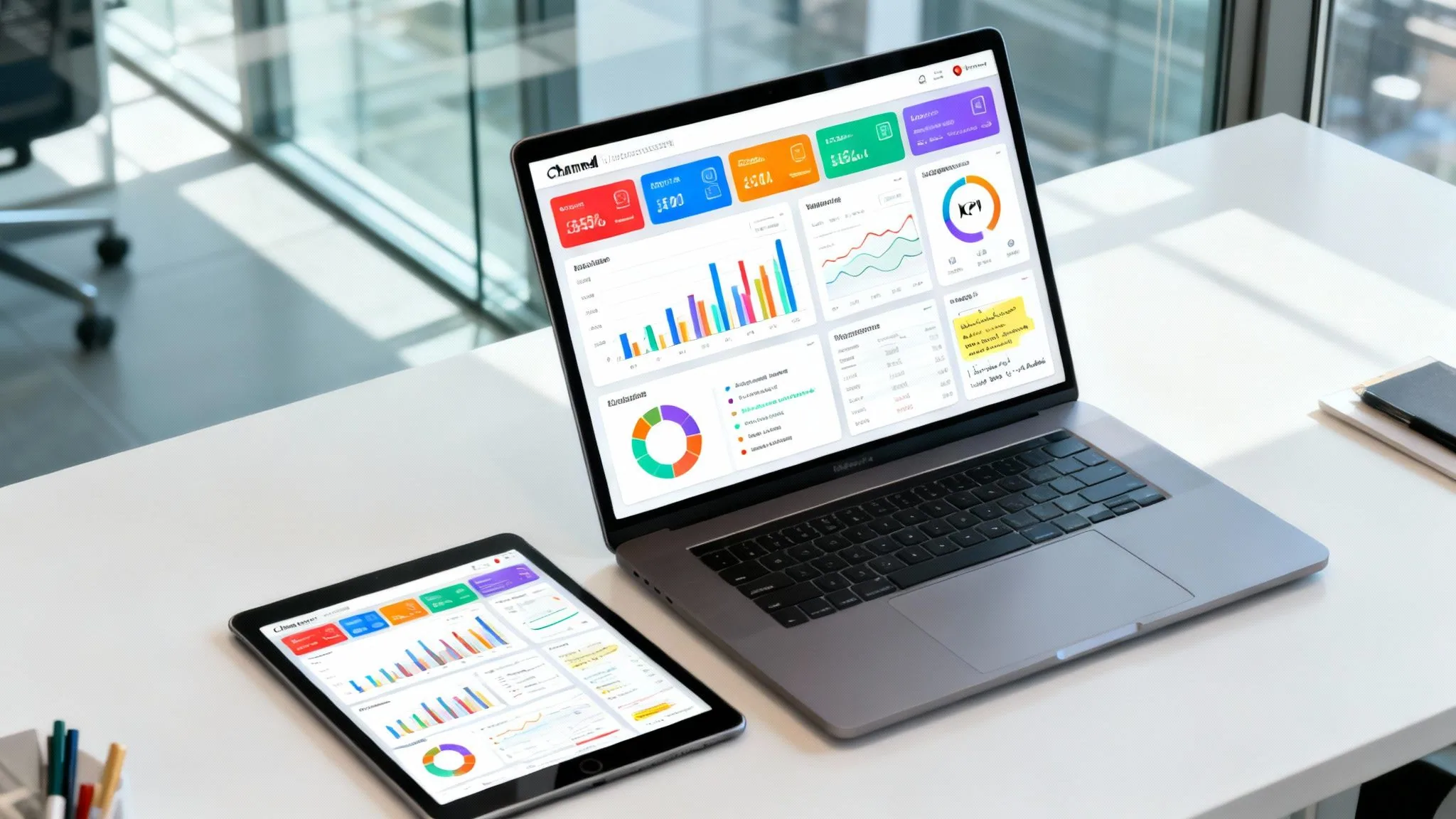
In a marketing ecosystem overflowing with data from dozens of channels, the biggest challenge isn't a lack of information; it’s a lack of clarity. Trying to connect campaign performance to revenue goals using siloed spreadsheets is a recipe for wasted time, missed opportunities, and strategic paralysis. You're left guessing which channels truly drive growth and which are just draining your budget. The solution is a well-designed channel dashboard, a visual command center that transforms raw data into actionable, strategic insights.
Want to skip the setup and get a professional review of your current reporting? Request a free audit of your marketing or PPC strategy and our team will analyze your strategy to uncover hidden opportunities for growth. Request your free audit now.
A powerful dashboard moves you beyond simple metrics to a holistic view of performance. It connects ad spend on one platform to lead quality in your CRM and finally to closed-won deals. At the heart of visualizing your marketing success is knowing how to calculate marketing ROI effectively, proving your campaigns' true value. This is where the right reporting framework becomes essential.
This guide provides a curated collection of powerful channel dashboard examples from leading business intelligence platforms. Each example includes screenshots, analysis of the key performance indicators (KPIs) used, and strategic notes on how to apply these layouts to your own reporting. We’ll show you exactly how to build a clear, centralized view to optimize your paid search, social media, e-commerce, and lead generation efforts.
1. Google Looker Studio – Template Gallery
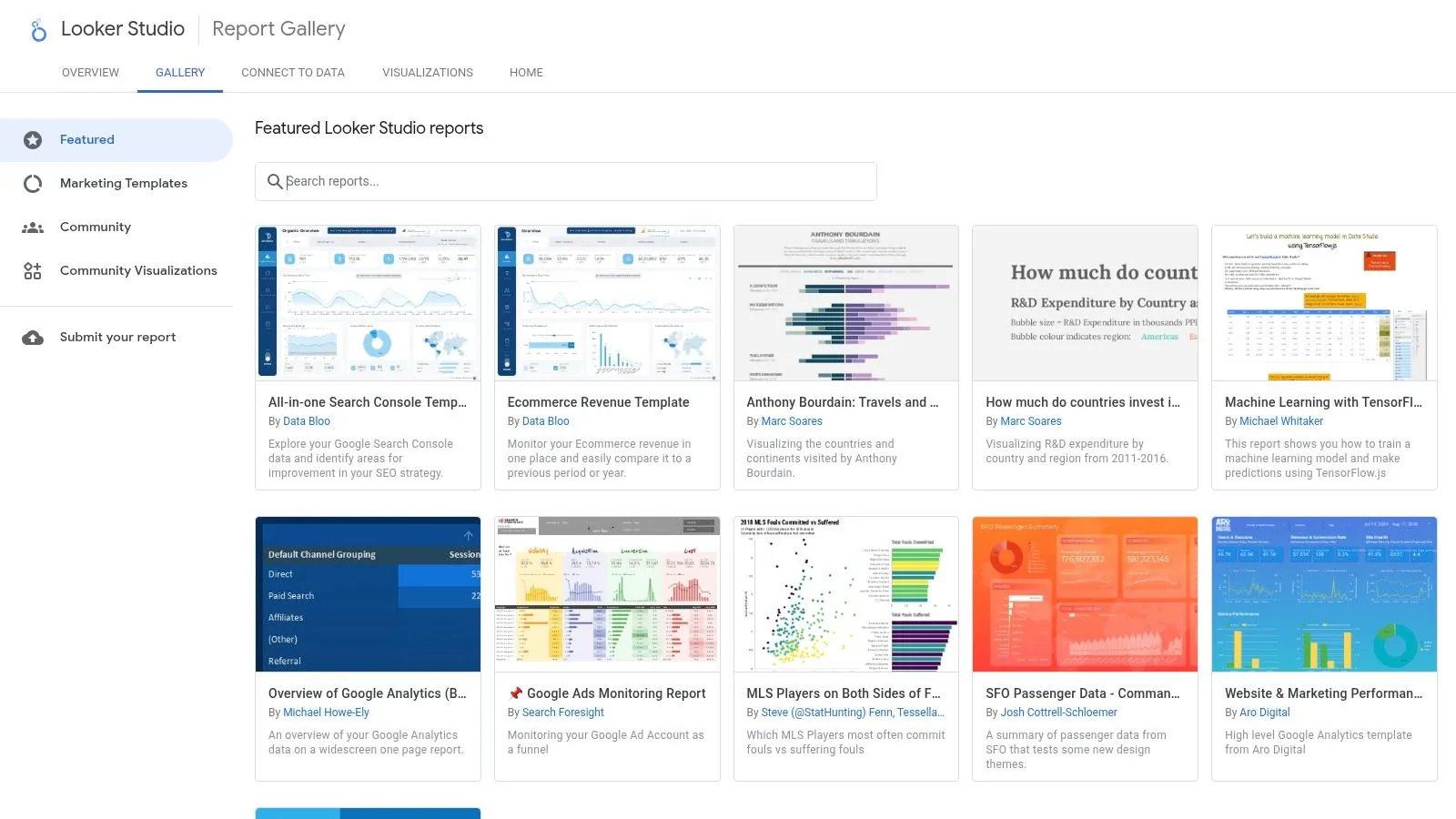
For teams invested in the Google ecosystem, the Looker Studio Template Gallery is an invaluable and cost-effective starting point for building powerful channel dashboard examples. It provides a collection of free, pre-built templates for essential Google marketing platforms, including Google Analytics 4 (GA4), Google Ads, Search Console, and YouTube Analytics. This official gallery streamlines the initial setup, allowing marketers to bypass the complex process of designing a dashboard from scratch and jump straight into analysis.
The platform's primary advantage is its seamless, one-click integration with core Google data sources. Users can select a template, such as the "GA4 E-commerce Performance" dashboard, and with a single click, copy it to their own workspace. From there, it’s a simple process to swap the sample data with your live GA4 or Google Ads account data, instantly populating the charts and tables with your own performance metrics. This accessibility makes it a standout choice for agencies and in-house teams needing to deploy channel-specific reporting quickly without incurring software costs.
Strategic Analysis & Key Features
Looker Studio’s strength lies in its zero-cost accessibility and native connectivity to Google products. Unlike enterprise-level BI tools that come with steep licensing fees and a significant learning curve, Looker Studio allows any user with a Google account to start visualizing data in minutes. Its browser-based interface is intuitive, especially for those familiar with Google's suite of products.
Strategic Insight: Use the official templates as a foundational layer. The "Search Console Report" template is an excellent baseline, but its real power is unlocked when you blend its data with GA4 conversion data. This allows you to connect search visibility metrics (impressions, clicks, average position) directly to on-site user behavior and goal completions, creating a more holistic SEO performance dashboard.
Key features include:
- Free, Google-Built Templates: Covers core advertising and analytics platforms like GA4, Google Ads, and Search Console. For a deeper look at its capabilities, see this comparison of top SEO reporting tools.
- One-Click Cloning: Easily copy any template and connect your own data sources without manual configuration.
- Data Blending: Combine data from multiple sources (e.g., Google Ads and Google Sheets) in a single chart to create calculated metrics like ROAS or Cost per Lead.
- Community Gallery: Access a wider variety of templates built by other users and third-party developers.
Actionable Takeaways & Implementation
To get the most out of the Looker Studio Gallery, start with a template that closely matches your primary channel. If you're running paid search, the "Google Ads Overview" template is a solid choice. Once you've connected your data, customize it by adding your company logo, adjusting brand colors, and adding new charts for campaign-specific KPIs that matter most to your business.
Pros:
- $0 Cost: No licensing fees for the software or the official templates.
- Fast Deployment: Go from template selection to a live dashboard in under 15 minutes.
- Familiar UI: Easy for marketers already using the Google ecosystem to learn and customize.
Cons:
- Connector Limitations: Connecting to non-Google platforms (like Facebook Ads or LinkedIn Ads) often requires paid third-party connectors.
- Limited Governance: Lacks the robust version control and access management features of enterprise BI platforms.
Website: https://lookerstudio.google.com/gallery
2. Tableau Exchange – Accelerators
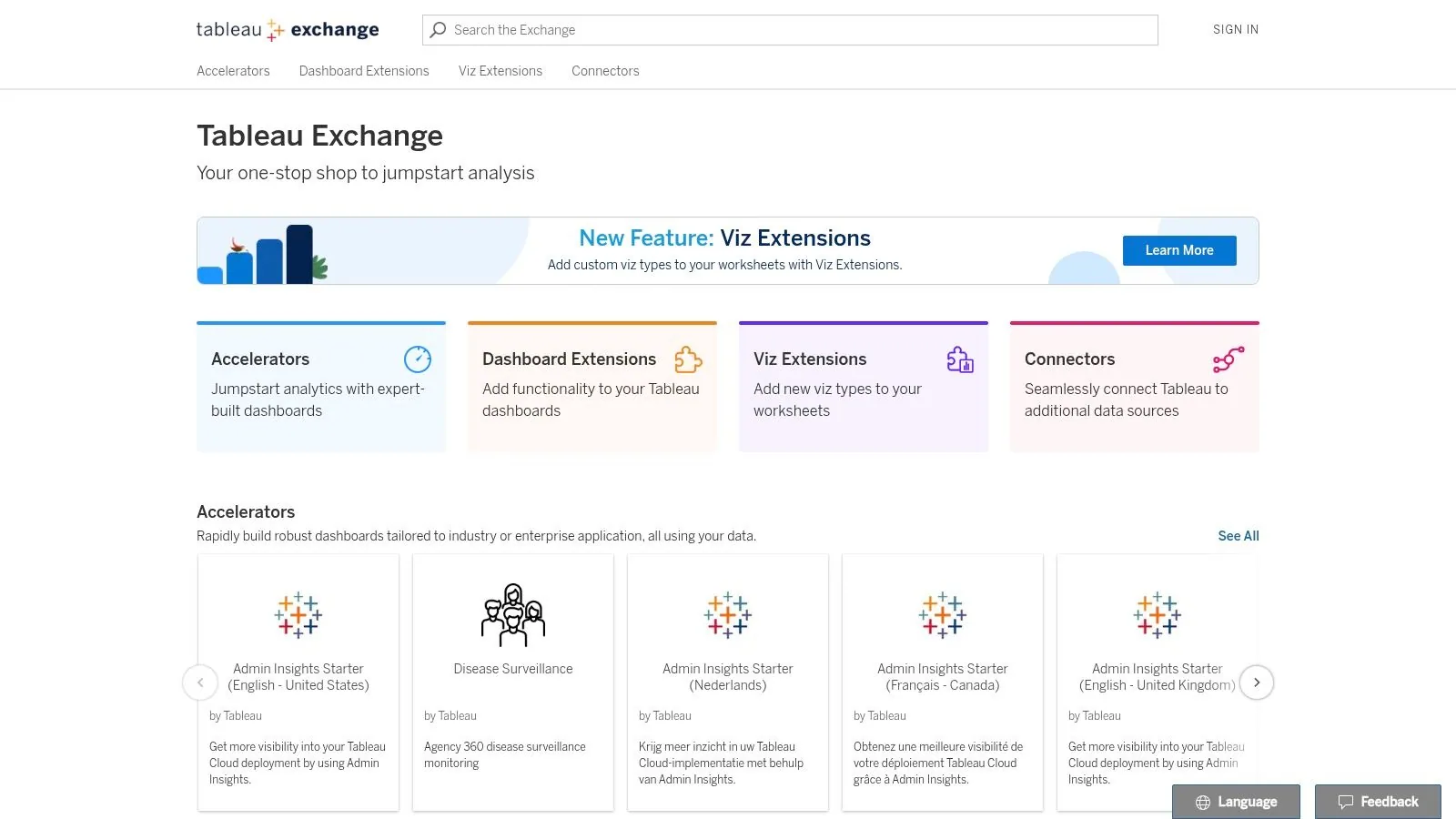
For organizations operating within a more complex data ecosystem, the Tableau Exchange offers "Accelerators," a curated marketplace of pre-built dashboards designed to fast-track analytics. These Accelerators provide sophisticated, enterprise-grade channel dashboard examples for specific scenarios, particularly those integrating data from platforms like Salesforce, Marketo, and LinkedIn Sales Navigator. This platform is ideal for teams that need vetted, robust starting points for their analysis without building from the ground up.
Unlike purely free template galleries, Tableau's Accelerators are built to a high standard, offering deeper, more nuanced views suitable for enterprise-level reporting. Users can browse the Exchange, download a TWBX dashboard file (e.g., "Marketing Campaign Performance"), and connect it to their own data sources. The platform's Data Mapper feature simplifies the often-tedious process of field mapping, making it easier to populate the dashboard with live metrics. This approach significantly reduces development time while maintaining the high governance and security standards expected from an enterprise BI tool.
Strategic Analysis & Key Features
Tableau's core strength is its enterprise-grade data visualization and governance capabilities. While tools like Looker Studio excel at Google-centric reporting, Tableau is built for connecting and blending disparate data sources from across the entire business, from sales and marketing CRMs to finance and operations databases. The Accelerators serve as a professional launchpad, embedding best practices for data visualization directly into your workflow.
Strategic Insight: Leverage the "Salesforce Campaign Performance" Accelerator to create a full-funnel marketing-to-sales dashboard. By connecting both your marketing automation platform (like Marketo) and Salesforce data, you can directly trace the journey from initial marketing touchpoint (e.g., ad click, email open) through to lead creation, opportunity stage, and closed-won revenue. This provides a clear view of marketing's direct impact on the sales pipeline.
Key features include:
- Curated, Vetted Dashboards: High-quality, application-specific templates built for platforms like Salesforce, Marketo, and Oracle Eloqua.
- One-Click TWBX Download: Accelerators can be downloaded and opened directly in Tableau Desktop or published to Tableau Cloud.
- Data Mapper: A user-friendly interface to map your source data fields to the fields required by the dashboard template.
- Enterprise Governance: Built on a platform with robust security, sharing permissions, and version control features.
Actionable Takeaways & Implementation
Begin by identifying an Accelerator that aligns with a key business question, such as understanding lead lifecycle or campaign ROI. Download the TWBX file and use the Data Mapper to connect your primary data sources. The initial goal is not to replicate it perfectly but to get a functional version live. From there, customize the views by adding filters for specific teams, regions, or timeframes, and incorporate your organization's unique calculated fields, such as custom lead scoring or customer lifetime value.
Pros:
- Reduces Build Time: The vetted library significantly shortens the time to create powerful channel and multi-channel dashboards.
- Enterprise-Ready: Strong governance, security, and sharing options suitable for large organizations.
- Handles Complexity: Excellent for blending data from numerous non-Google marketing and sales platforms.
Cons:
- Requires Tableau Licensing: Access and usage depend on paid Tableau Creator or Viewer licenses, making it a costly option.
- Steeper Learning Curve: The platform is more powerful but also more complex than lighter, more intuitive tools.
Website: https://exchange.tableau.com
3. Microsoft Power BI – AppSource Template Apps
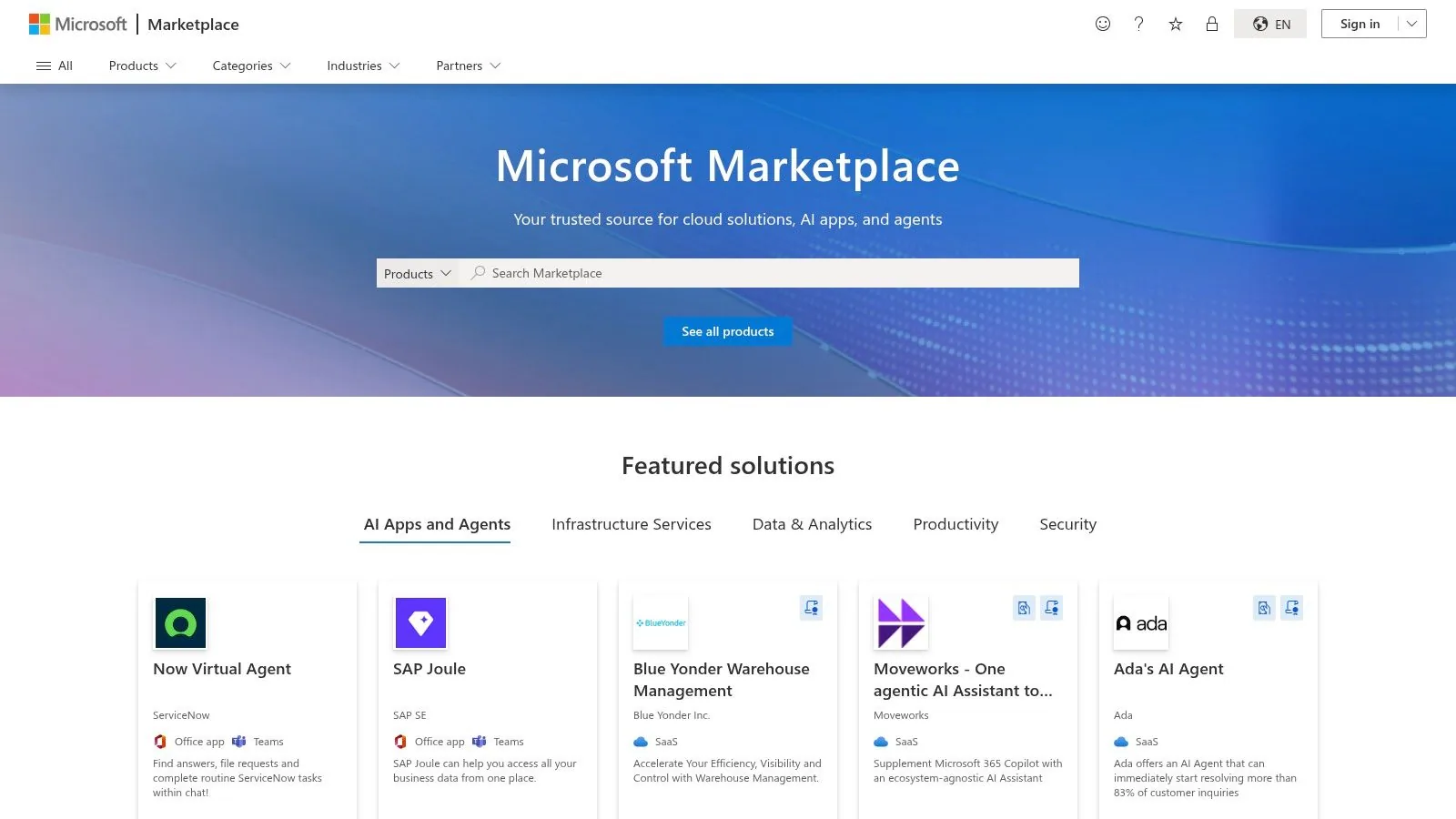
For organizations standardized on the Microsoft 365 and Fabric ecosystems, Microsoft AppSource provides a powerful entry point for deploying sophisticated channel dashboard examples. AppSource hosts a marketplace of Power BI template apps, which are pre-built reports and dashboards designed to connect directly to live services. These templates, often maintained by Microsoft partners and ISVs, cover a range of marketing and analytics scenarios, allowing teams to leverage Power BI's robust capabilities without building dashboards from scratch.
This approach is ideal for enterprises that require a higher level of data governance, security, and integration with other Microsoft products like Azure, Dynamics 365, and SharePoint. Users can browse the marketplace directly from the Power BI service, select an app like "Google Analytics Report" or "Sales & Marketing Sample," and install it into their workspace. The app then connects to the user's data sources, populating the pre-designed visuals with live performance metrics, providing a secure and scalable reporting solution.
Strategic Analysis & Key Features
Power BI's core strength lies in its deep ecosystem integration and enterprise-grade security. While platforms like Looker Studio excel at Google-centric reporting, Power BI is built for complex business environments where data from sales, marketing, finance, and operations must converge. The template apps on AppSource act as accelerators, providing a structured foundation that can be customized and extended using Power BI's advanced data modeling and DAX (Data Analysis Expressions) capabilities.
Strategic Insight: Leverage the "Sales & Marketing Sample" template not just for its visuals, but as a learning tool to understand Power BI's data modeling. Deconstruct how it connects sales data to marketing efforts to calculate metrics like market share and sentiment analysis. This understanding is crucial before you learn how to create a Power BI dashboard from scratch, enabling you to build a truly integrated revenue operations report.
Key features include:
- Direct Installation from Power BI: Apps can be found and installed via the "Get Apps" feature directly within the Power BI service.
- ISV and Partner-Maintained Apps: Access a marketplace of specialized templates for various marketing platforms and business functions.
- Built-in Sample Templates: Explore pre-loaded samples like the "Sales & Marketing" dashboard to understand KPIs and report structure without connecting live data.
- Enterprise Security and Governance: Benefit from Microsoft’s robust security framework for data sharing, access control, and compliance.
Actionable Takeaways & Implementation
Begin by exploring the free sample templates within Power BI to get a feel for its interface and capabilities. Once familiar, search AppSource for templates related to your key channels, such as Google Analytics or Mailchimp. After installing a template app, dive into the underlying dataset and report to see how it's constructed. Customize the queries in the Power Query Editor to add your own dimensions or business logic, tailoring the template to your specific needs.
Pros:
- Deep Microsoft Ecosystem Integration: Seamlessly connects with Azure, Dynamics 365, and other Microsoft business applications.
- Enterprise-Grade Security: Offers advanced sharing, governance, and row-level security features suitable for large organizations.
- Good Fit for Microsoft-Centric Firms: An obvious choice for companies already invested in Microsoft 365 and the Power Platform.
Cons:
- Variable App Quality: The quality, support, and update frequency of AppSource listings can vary significantly between publishers.
- Paid Licenses Required: Most collaboration and sharing scenarios require paid Power BI Pro or Premium licenses for users.
Website: https://appsource.microsoft.com
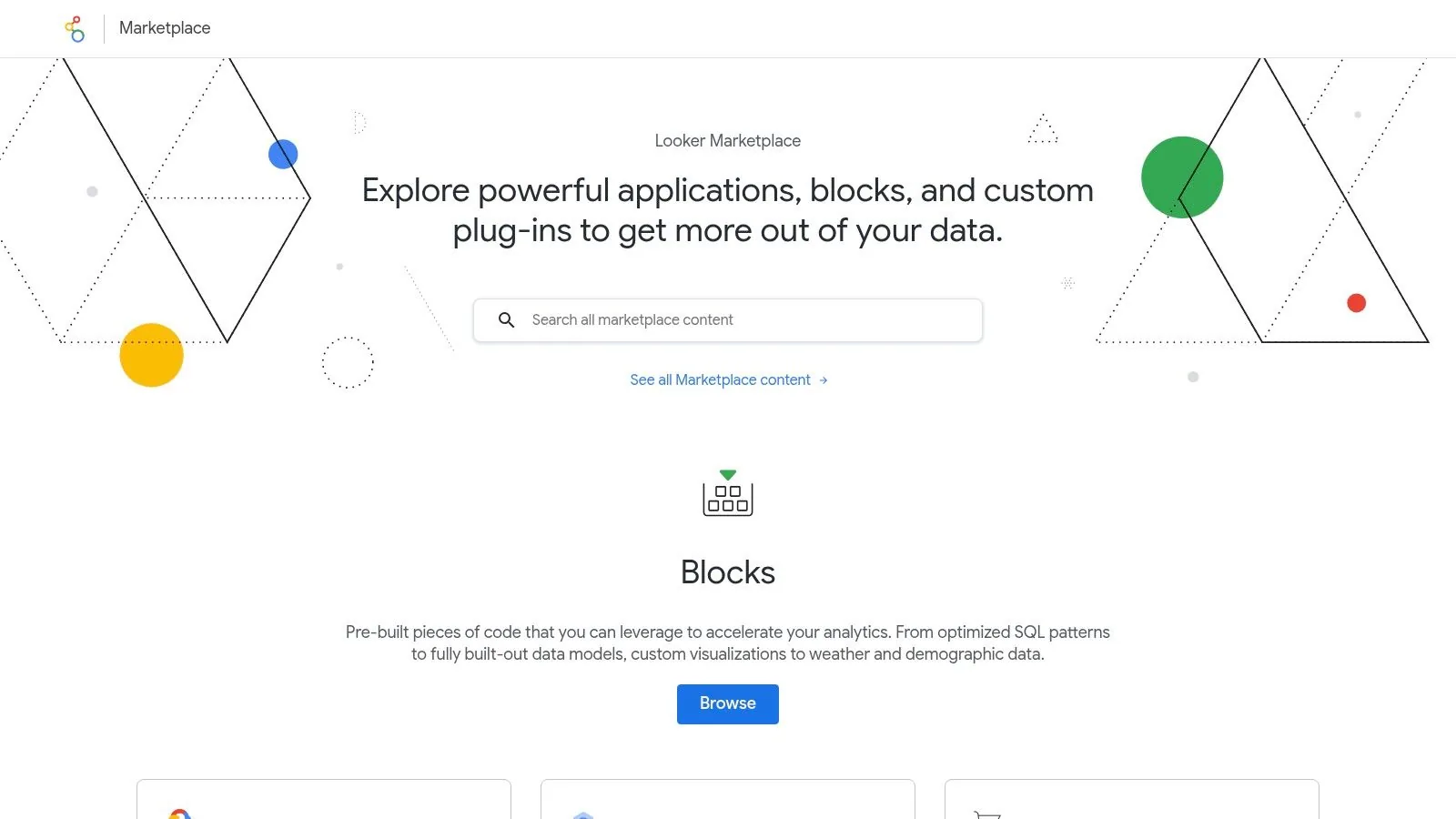
4. Looker (Google Cloud) – Marketplace Blocks
For enterprise-level organizations seeking scalable and governed reporting, Looker Marketplace Blocks are a powerful accelerator for creating advanced channel dashboard examples. Unlike the more accessible templates in Looker Studio, these "Blocks" are pre-built LookML data models and dashboards designed for deep, complex analysis. They are optimized for BigQuery and target sophisticated data sources like the full Google Marketing Platform suite (GA4/360, DV360, SA360, Campaign Manager) and large-scale retail analytics.
Blocks provide a robust foundation that enterprise teams can build upon, offering pre-modeled "Explores" (interactive data exploration environments) and dashboards out of the box. This allows data analysts and marketing teams to bypass months of development time and immediately begin analyzing granular, multi-channel performance data. The core advantage is the semantic layer provided by LookML, which ensures that metrics are defined and calculated consistently across the entire organization, establishing a single source of truth for channel performance.
Strategic Analysis & Key Features
Looker's primary strength lies in its governance, scalability, and deep integration with first-party data warehouses like BigQuery. While Looker Studio excels at quick, channel-specific reporting, Looker is built for comprehensive business intelligence where marketing data is just one piece of the puzzle. It empowers teams to blend ad spend data with product usage, CRM, and financial data for a true 360-degree view of performance.
Strategic Insight: Leverage Looker Blocks not just for reporting, but for data activation. Many Blocks include "Actions" that allow you to push insights back into marketing platforms. For example, you can build a segment of high-value users in Looker based on BigQuery data and send that audience directly to Google Ads for remarketing, closing the loop between analysis and action.
Key features include:
- Pre-Built LookML Models: Provides a standardized, governed semantic layer for complex data sources like Google Marketing Platform. To understand why centralizing your data is critical, explore the details of why Google is deleting historic GA4 data.
- Optimized for BigQuery: Designed to handle massive datasets efficiently, making it ideal for enterprises with high-volume event data from GA4.
- Data Activation: Includes built-in Actions to send audiences or data back to platforms like Google Ads and GA4, enabling data-driven marketing workflows.
- Extensible and Customizable: Developers can extend the base LookML models to incorporate custom business logic, dimensions, and metrics.
Actionable Takeaways & Implementation
Begin by identifying a Marketplace Block that aligns with your primary data warehouse and marketing stack, such as the "Google Marketing Platform" Block. Once installed, work with your data team to connect it to your BigQuery tables. The initial dashboards will provide a high-level overview, but the real value comes from using the pre-built Explores to ask deeper, ad-hoc questions and build custom reports that address your specific business challenges.
Pros:
- Strong Governance & Scalability: The LookML semantic layer ensures data consistency for enterprise-wide analysis.
- Deep Customization: Built for developers and data teams to extend and tailor to unique business needs.
- Multi-Channel, First-Party Focus: Excels at blending marketing data with other first-party data sources for holistic insights.
Cons:
- Enterprise Pricing: Looker licensing is quote-based and represents a significant investment compared to free tools.
- Steep Learning Curve: Requires LookML and SQL expertise for any meaningful customization beyond the base dashboards.
Website: https://marketplace.looker.com
5. Databox – Dashboard Examples & Template Gallery
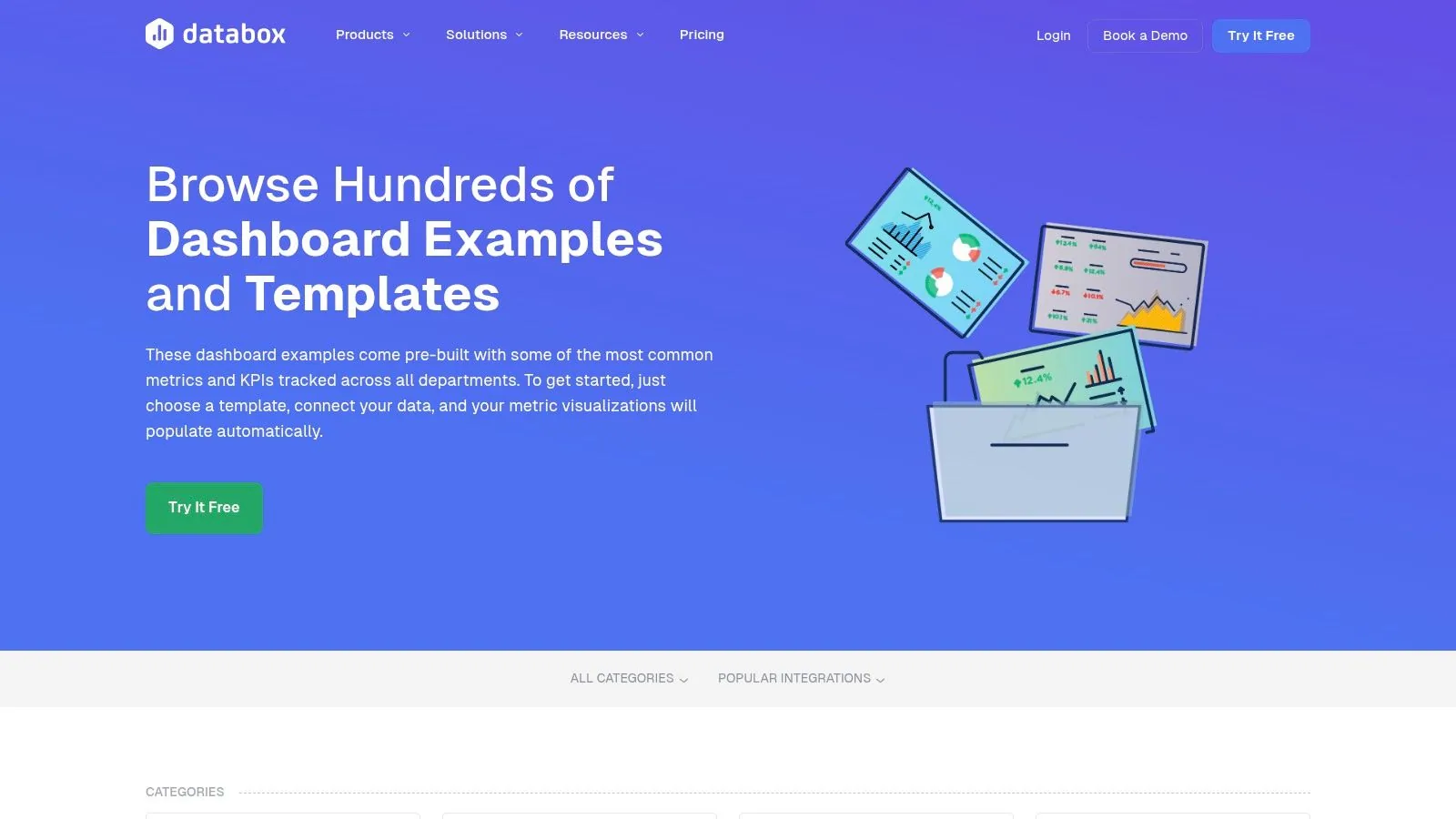
Databox stands out as a business intelligence platform built specifically for marketers, offering one of the most extensive libraries of channel dashboard examples and templates available. With over 300 pre-built dashboards and 200+ marketing-specific templates, it is designed for rapid deployment, allowing teams to visualize performance data from SEO, PPC, social media, and content marketing efforts almost instantly. The platform is ideal for agencies and marketing departments that need to create comprehensive, shareable reports without a dedicated data analyst.
The core advantage of Databox is its vast integration library and one-click template setup. Users can connect to over 130 sources, including popular tools like HubSpot, Google Analytics 4, Google Ads, Semrush, and Ahrefs. Once connected, a template like the "HubSpot Marketing Funnel" dashboard can be populated with live data in minutes. This removes the technical hurdles often associated with BI tools, making sophisticated channel and cross-channel reporting accessible to non-technical team members. Its built-in features like goal setting, automated alerts, and TV mode are designed for high-visibility performance tracking.
Strategic Analysis & Key Features
Databox’s strength is its speed to insight for marketing teams. The platform prioritizes ease of use and a massive template gallery over the granular, code-level customization found in more developer-centric BI tools. This makes it a powerful asset for teams that value quick, actionable reporting and cross-channel visibility. Its user interface is clean and intuitive, focusing on clear data visualizations that tell a story.
Strategic Insight: Leverage Databox's cross-channel templates to break down data silos. For example, combine data from your Google Ads, HubSpot, and Google Analytics 4 accounts into a single "Marketing Performance Overview" dashboard. This allows you to track the entire customer journey, from initial ad click and cost (Google Ads) to lead capture and qualification (HubSpot) and on-site engagement (GA4), providing a true ROAS perspective.
Key features include:
- Massive Template Library: Over 200 marketing-specific templates covering everything from paid media to SEO and sales.
- 130+ One-Click Integrations: Connect seamlessly with essential marketing platforms like HubSpot, GA4, Google Ads, and Semrush.
- Performance Tracking Tools: Set goals, receive automated alerts for KPI changes, and display live dashboards on office TVs.
- Built-in Sharing Capabilities: Easily share live dashboards with clients or internal stakeholders via scheduled reports or public links.
Actionable Takeaways & Implementation
To maximize Databox's value, begin by exploring the template gallery and identifying dashboards that align with your core business objectives. If lead generation is your focus, the "HubSpot vs. Google Analytics" dashboard is an excellent starting point to compare lead quality and website behavior. Once you connect your sources, customize the dashboard by adding specific KPIs, such as Cost per MQL or lead-to-customer conversion rate, to create a report that truly reflects business impact.
Pros:
- Extremely Fast Setup: Go from signup to a live, multi-source dashboard quickly, even for non-technical users.
- Marketing-Focused: The templates and integrations are tailored specifically to the needs of marketing and sales teams.
- Excellent Sharing & Visibility: Features like TV mode and scheduled reports make performance visible across the organization.
Cons:
- Paid-Only Platform: The free plan has been sunset, so ongoing use requires a paid subscription.
- Pricing Model: The pricing is based on the number of data source connections, which can become costly for teams using many different tools.
Website: https://databox.com/dashboard-examples
6. Klipfolio – Marketing Dashboard Examples & Templates
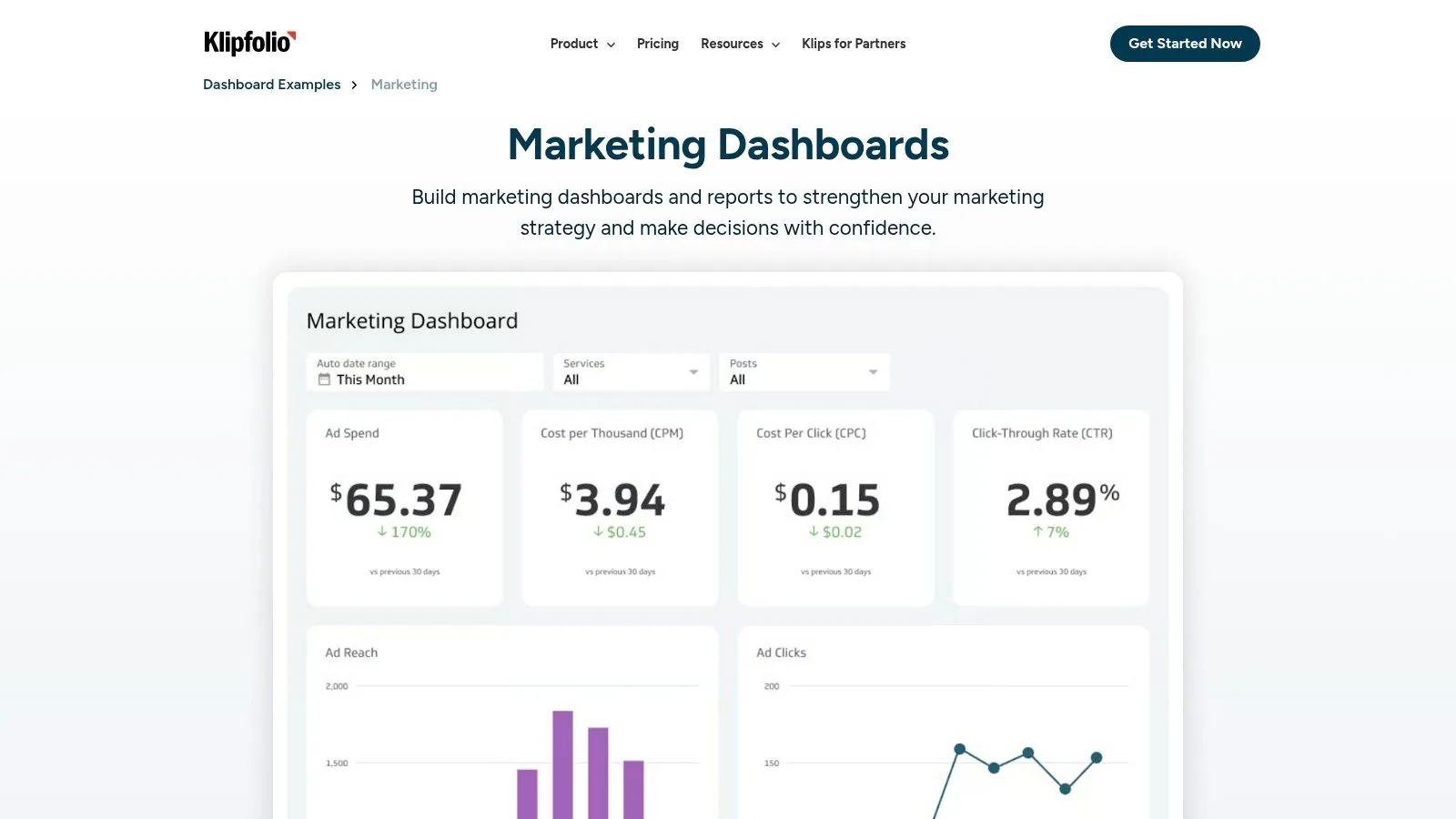
For agencies and marketing teams needing to consolidate performance across multiple non-Google platforms, Klipfolio offers a robust gallery of channel dashboard examples and templates. This cloud-based platform specializes in connecting to a wide array of data sources, including social media channels like Facebook and LinkedIn, CRM systems like HubSpot, and e-commerce platforms like Shopify. Its template library provides a significant head start for building comprehensive, cross-channel marketing reports without the heavy lifting often associated with business intelligence tools.
Klipfolio’s main advantage is its focus on blending data from disparate sources into a single, cohesive view. Users can browse live dashboard examples on the website to see what’s possible before committing. The platform then provides guided template installations, allowing teams to quickly connect their accounts and populate pre-built visualizations. This approach is ideal for organizations that need to report on holistic campaign performance, from top-of-funnel social media engagement to bottom-of-funnel CRM pipeline data, all in one place.
Strategic Analysis & Key Features
Klipfolio's strength lies in its connector-rich environment and agency-focused features. While tools like Looker Studio excel within the Google ecosystem, Klipfolio is built for a multi-platform world. It simplifies the process of creating dashboards that track KPIs across the entire marketing funnel, making it easier to demonstrate ROI from channels that are notoriously difficult to integrate, like LinkedIn Ads or organic social media.
Strategic Insight: Leverage Klipfolio’s data-blending capabilities to build a full-funnel lead generation dashboard. Connect HubSpot to track MQLs and SQLs, Google Ads to monitor cost per conversion, and Google Analytics 4 to analyze on-site behavior. This creates a powerful narrative that connects ad spend directly to sales pipeline velocity, answering the critical question: "Which channels are generating our most valuable leads?"
Key features include:
- 20+ Pre-Built Templates: Covers key marketing services like GA4, Facebook Ads, LinkedIn Ads, HubSpot, and Shopify. For more context, read this guide on how to measure marketing performance.
- Live Example Dashboards: Explore fully functional, interactive dashboards on their website to find inspiration and understand the platform’s potential.
- Extensive Integrations: Natively connect to over 130 services, reducing the need for third-party connectors or complex data warehousing.
- Agency-Friendly Tools: White-label options and client management features make it a strong choice for agencies reporting to multiple stakeholders.
Actionable Takeaways & Implementation
Begin by identifying your most important marketing channels and exploring Klipfolio's corresponding live examples. If you are running an e-commerce business, start with the Shopify and Facebook Ads dashboard templates. Once you connect your data sources through the guided setup, focus on customizing the dashboard to calculate blended metrics like overall Customer Acquisition Cost (CAC) or cross-channel Return on Ad Spend (ROAS). Schedule automated PDF reports to be sent to key stakeholders weekly to keep them informed of performance trends.
Pros:
- Agency-Friendly: White-label reporting and client-specific dashboards are built into the platform.
- Multi-Channel Blending: Excellent for creating unified views of performance across social, search, CRM, and e-commerce platforms.
- Less BI Overhead: More accessible for marketing teams than traditional, code-heavy BI tools.
Cons:
- Configuration Required: Templates often need more customization than simpler, out-of-the-box solutions.
- Tiered Features: Advanced capabilities like near real-time data refresh are locked behind more expensive plans.
Website: https://www.klipfolio.com/resources/dashboard-examples/marketing
7. Data Bloo – Paid Looker Studio Template Marketplace
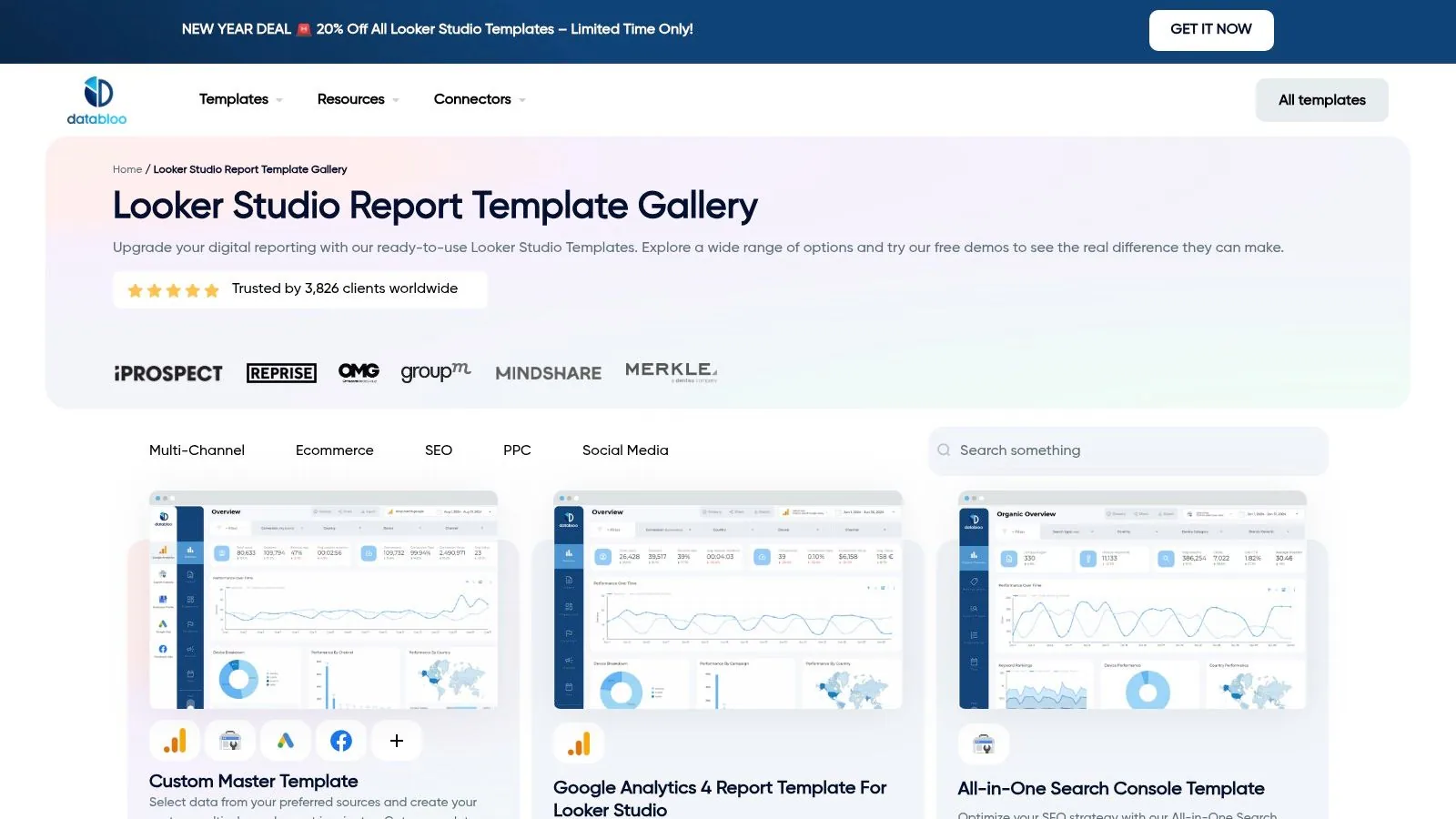
For marketing agencies and in-house teams who want to move beyond basic templates, Data Bloo offers a curated marketplace of premium, paid Looker Studio templates. It specializes in polished, client-ready channel dashboard examples for platforms like GA4, Google Ads, Meta Ads, and even SEO tools like Ahrefs and Semrush. This approach is ideal for professionals who need a high-quality reporting foundation immediately, saving dozens of hours on design, layout, and complex data blending.
The primary advantage of Data Bloo is its focus on marketer-centric design and multi-channel integration. Unlike free galleries, its templates are built with practical agency use cases in mind, often featuring advanced navigation, drill-down capabilities, and consolidated views that combine data from multiple sources. For example, a single dashboard might blend GA4, Google Search Console, and Meta Ads data to provide a holistic view of performance, a feature that would otherwise require significant manual configuration. This makes it a powerful accelerator for teams needing to deliver impressive, comprehensive reports without the high cost of a dedicated BI developer.
Strategic Analysis & Key Features
Data Bloo’s strength lies in its time-saving, high-quality designs and one-time purchase model. It serves a specific niche: marketers who value polished aesthetics and advanced functionality but prefer to avoid recurring software fees. The templates are designed not just to present data but to tell a clear performance story, making them perfect for client presentations and internal stakeholder reviews. Their pre-built, multi-channel bundles offer immense value by solving common data integration challenges right out of the box.
Strategic Insight: Leverage the "GA4, Google Ads & Meta Ads (Facebook Ads) Master Template" to build a unified paid media command center. By consolidating your top-of-funnel (Meta Ads impressions, clicks) and bottom-of-funnel (GA4 conversions, revenue) metrics, you can analyze the complete customer journey. This allows you to measure how social ad spend directly influences on-site conversions and revenue, providing a clearer picture of your blended ROAS.
Key features include:
- Premium, Marketer-Focused Templates: Professionally designed dashboards for key channels like GA4, Meta Ads, YouTube, WooCommerce, and more.
- Multi-Channel Master Bundles: Purchase pre-integrated templates that combine data sources (e.g., GA4 + GSC + Google Ads) for a holistic view.
- One-Time Purchase Model: Buy a template once and own it forever, with no recurring subscription fees.
- Interactive Demos: Users can explore a fully functional live demo of each template before purchasing to ensure it meets their needs.
Actionable Takeaways & Implementation
To maximize value from Data Bloo, start by reviewing the live demos to find a template that aligns with your most critical reporting needs. For an e-commerce business, the "GA4 E-commerce Dashboard" provides a deep dive into revenue, product performance, and user funnels. After purchase, follow the included instructions to connect your data sources. Customize the report by adding filter controls for specific campaigns or date ranges, and brand it with your company’s logo and color scheme for a fully white-labeled client deliverable.
Pros:
- Client-Ready Design: High-quality, professional aesthetics save significant design and development time.
- One-Time Cost: A predictable, single payment is more budget-friendly than recurring SaaS fees.
- Advanced Functionality: Includes features like page navigation and pre-built data blends not found in most free templates.
Cons:
- Looker Studio Focus: Primarily serves the Google ecosystem, with limited options for other BI tools like Tableau or Power BI.
- Priced in EUR: Buyers outside the Eurozone may need to account for currency conversion rates.
Website: https://www.databloo.com/templates/
Top 7 Channel Dashboard Platform Comparison
| Solution | Implementation Complexity 🔄 | Resource Requirements 💡 | Expected Outcomes ⭐📊 | Ideal Use Cases | Key Advantages ⚡ |
|---|---|---|---|---|---|
| Google Looker Studio – Template Gallery | Low — browser-based, one‑click clone 🔄 | Minimal — Google account; GA4/Ads/SQ connections; add‑ons for advanced sources 💡 | Quick, usable GA4/Ads/Search Console dashboards; fast time‑to‑value ⭐⭐⭐ 📊 | Small/medium marketing teams, rapid prototyping, GA4/Ads reporting | $0 templates, fast deploy and easy customization ⚡ |
| Tableau Exchange – Accelerators | Medium–High — Desktop/Cloud config and mapping 🔄 | High — Tableau Creator/Viewer licenses, Desktop skills, data mapping 💡 | Enterprise‑grade, vetted dashboards with governance and scalability ⭐⭐⭐⭐ 📊 | Enterprises using Tableau; regulated or governed reporting needs | Curated, vetted templates; strong governance & sharing ⚡ |
| Microsoft Power BI – AppSource Template Apps | Medium — installable apps with configuration 🔄 | Medium–High — Power BI licenses; MS365/Fabric alignment; partner maintenance 💡 | Integrated, secure dashboards fitting Microsoft ecosystem; variable quality by listing ⭐⭐⭐ 📊 | Organizations standardized on Microsoft 365/Fabric | Deep MS ecosystem integration and enterprise sharing ⚡ |
| Looker (Google Cloud) – Marketplace Blocks | High — LookML/Explore modeling and customization 🔄 | Very high — Looker licensing, BigQuery resources, LookML/SQL expertise 💡 | Scalable, governed semantic layer and activation workflows for large data sets ⭐⭐⭐⭐ 📊 | Large enterprises with first‑party BigQuery data and analytics teams | Strong governance, extensibility, and BigQuery optimization ⚡ |
| Databox – Dashboard Examples & Template Gallery | Low–Medium — plug‑in templates, marketer‑focused setup 🔄 | Medium — Paid plan required; many integrations; low technical overhead 💡 | Fast, shareable marketing dashboards with goals, alerts, TV mode ⭐⭐⭐ 📊 | Marketing teams needing quick channel/cross‑channel reporting | Fast setup, marketing features and sharing controls ⚡ |
| Klipfolio – Marketing Dashboard Examples & Templates | Medium — guided installs but more configuration needed 🔄 | Medium — Subscription, integrations, some configuration skills 💡 | Flexible, blended multi‑channel dashboards suitable for agencies ⭐⭐⭐ 📊 | Agencies and teams blending multiple channels without heavy BI ops | White‑label/agency plans and broad integration support ⚡ |
| Data Bloo – Paid Looker Studio Template Marketplace | Low — plug‑and‑play premium templates for Looker Studio 🔄 | Low–Medium — one‑time purchase (EUR); Looker Studio account and connectors 💡 | Polished, client‑ready Looker Studio reports with high design quality ⭐⭐⭐⭐ 📊 | Agencies/consultants wanting ready‑to‑deliver client reports | High design quality, marketer‑focused templates, one‑time fee ⚡ |
From Examples to Execution: Building Your Own Command Center
Throughout this guide, we've explored a diverse set of powerful channel dashboard examples, from the high-level multi-channel attribution views in Tableau to the granular paid search performance trackers in Google Looker Studio. Each example serves as a blueprint, not just a picture, demonstrating how visualizing the right data can transform raw numbers into a strategic command center for your marketing operations.
The core lesson is clear: a truly effective dashboard is never a one-size-fits-all solution. The e-commerce brand focused on ROAS requires a different set of KPIs and visualizations than the B2B manufacturer tracking MQL-to-SQL conversion rates. The most valuable dashboards are custom-built strategic tools, meticulously tailored to your unique business objectives, team structure, and existing tech stack. They answer your most pressing business questions at a glance.
Synthesizing the Blueprints: Your Action Plan
Moving from inspiration to implementation can feel daunting. The sheer number of potential metrics, dimensions, and visualization types is overwhelming. To bridge that gap, we've distilled the key principles from the examples above into a simple, actionable framework. Follow these five steps to build a dashboard that drives decisions, not just displays data.
-
Define Your Primary Objective: Before you connect a single data source, answer one critical question: What is the number one goal of this dashboard? Is it to maximize e-commerce revenue (ROAS focus), generate qualified leads (CPL/Pipeline focus), or increase brand awareness (Reach/Engagement focus)? Every subsequent choice flows from this single point of clarity.
-
Identify Your "North Star" Metrics: Resist the temptation to track everything. A cluttered dashboard is an ignored dashboard. Based on your primary objective, select three to five key performance indicators (KPIs) that provide the most accurate measure of success. For a lead-gen dashboard, this might be Leads, MQLs, SQLs, Cost per MQL, and MQL-to-SQL Conversion Rate. Everything else is secondary.
-
Choose the Right Tool for the Job: Your choice of platform is crucial. As our examples showed, the best tool depends on your specific needs.
- For flexibility and deep integration with Google Ads/Analytics: Google Looker Studio is often the best starting point.
- For complex, multi-source data blending and advanced analytics: Tableau and Microsoft Power BI offer enterprise-grade power.
- For quick, template-driven implementation: Databox and Klipfolio provide excellent, user-friendly galleries to get you started fast.
- Consider your team's technical skills, your budget, and what data sources you need to connect.
-
Start with a Template, Don't Build from Scratch: Every tool we've showcased, from Tableau's Accelerators to the marketplace of paid Looker Studio templates, offers a starting point. Using a pre-built template saves hundreds of hours and ensures you're incorporating best practices from day one. You can then customize it to match your specific KPIs and branding.
-
Iterate, Refine, and Evolve: Your first dashboard is not your last. A marketing dashboard is a living document that should evolve alongside your strategy. Schedule a quarterly review to ask: Is this dashboard still answering our most important questions? Are there new metrics we need to add? Are there vanity metrics we can remove? Continuous refinement ensures your command center remains relevant and impactful.
Ultimately, viewing these channel dashboard examples should inspire you to think strategically. A dashboard's true power isn't just in presenting data; it's in its ability to provoke the right questions, spark meaningful conversations, and provide the clarity needed to take decisive, data-informed action. It’s the starting line for strategic analysis, not the finish line.